How to add a missing artist
We don't have every artist yet, least of all the newer and smaller ones. You don't have to wait for us: anyone with an account can add an artist, album or song, and it takes about a minute.
Shipped

- 01
In the app, paste a link
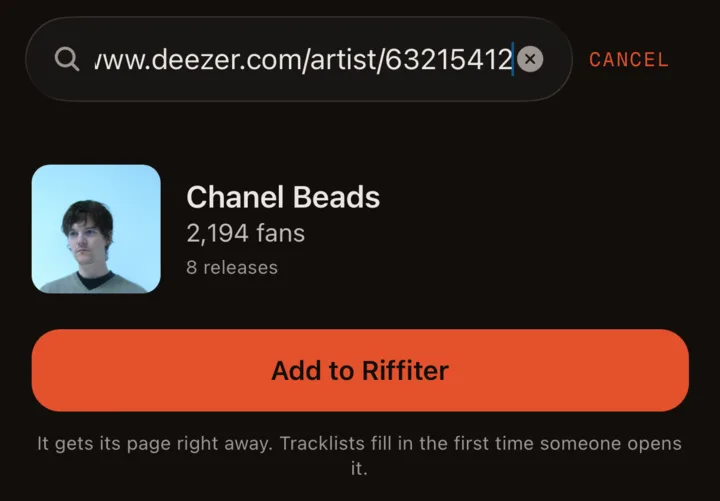
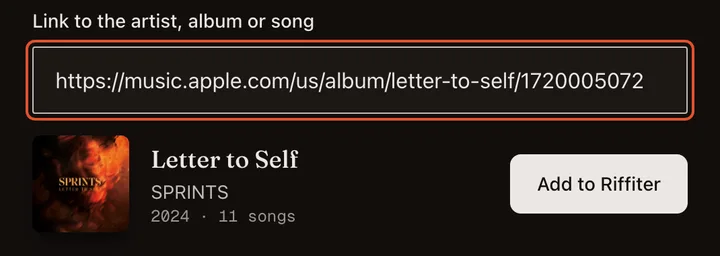
Copy the artist's link from Spotify, Apple Music or Deezer (Share, then Copy link). Open the Discover tab and paste it into the search box. If we don't have them, a card shows up with Add to Riffiter. Album and song links work the same way.
- 02
The page builds itself
Tap it and the artist's page is up in a few seconds, with their photo, albums, singles and EPs. An artist link brings the whole discography. Tracklists fill in the first time someone opens a record, and from then on anyone can rate, review and follow.
- 03
On the web, same thing
Paste the link into the search bar at the top of any page, or open Add to the catalog in the footer. Apple Music links work best because Apple more often has the full tracklist. A Spotify link works when the record is also on Apple Music or Deezer.
- 04
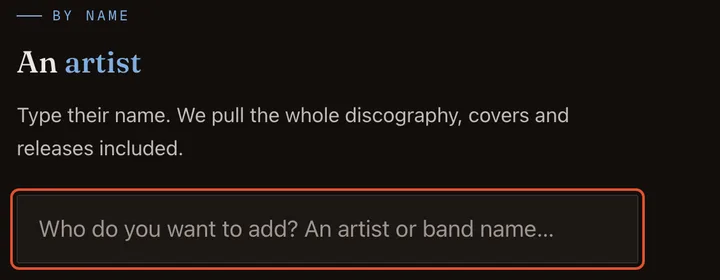
No link? Type the name
On the Add page you can also just type the name, and we pull the discography with covers. If the name belongs to someone else already on Riffiter, use a link instead. Only on Bandcamp or tape? Add it to MusicBrainz with a free account, then paste that link here.


